
When a duplicate name error occurs or hot folder creation fails when registering a printer (2)
If printer registration fails and the "The printer name has been already used." error appears even when a printer with the same name has not been registered, or if hot folder creation fails when registering a printer, change the Windows date display format as follows:
- Exit RasterLink7.
- Launch [Settings] from the Windows Start menu with the PC connected to the Internet.
- The [Settings] screen appears.
- On the [Settings] screen, select [Time & language] - [Language & region].

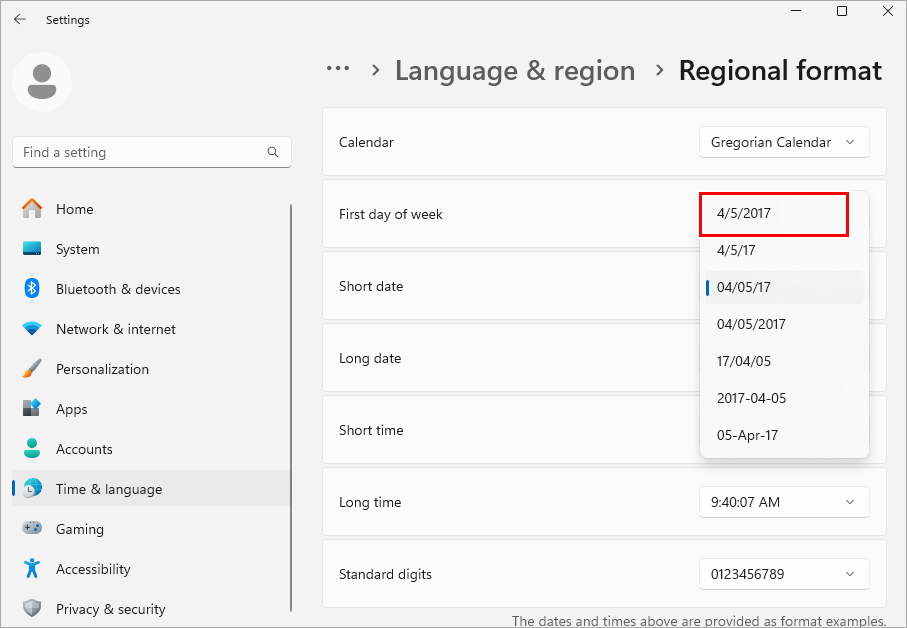
- Click the [∨] to the right of [Regional format], then select [Change formats].

- If a format including the day of the week is selected for [Short date], select a format that does not include the day of the week.
- Close the [Settings] screen.
- Launch RasterLink7, then register a printer or create a hot folder.
